
Pardot Form
Below you'll find the steps to embed a Pardot form:
Add a new step and choose the "Lead Form" guide.
Click on the "Embed Custom Form" button underneath the Storylane Lead Form.
Choose "Pardot" from the dropdown and copy-paste the code from Pardot.
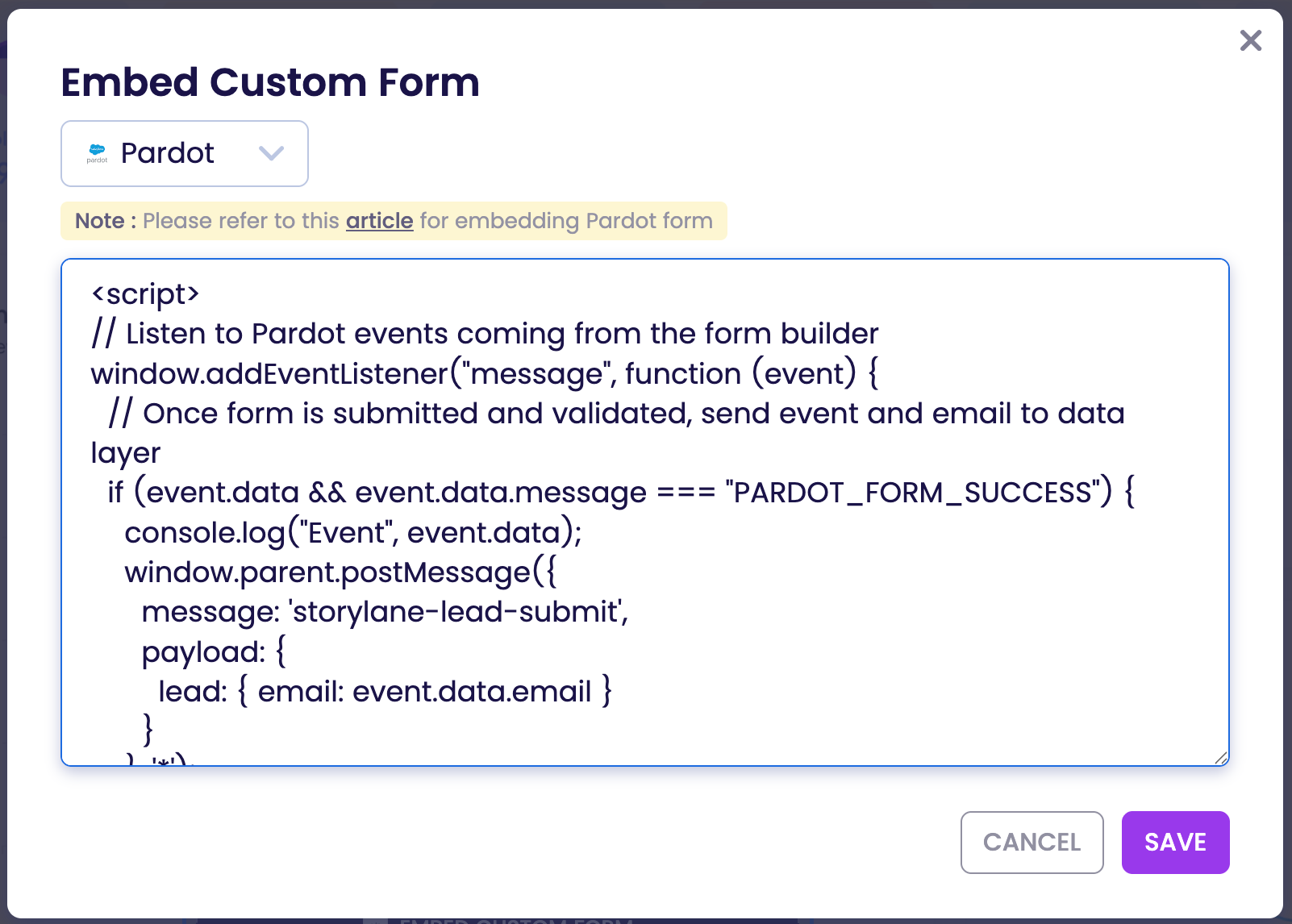
Above the code you pasted from Pardot, you'll need to add the following code:
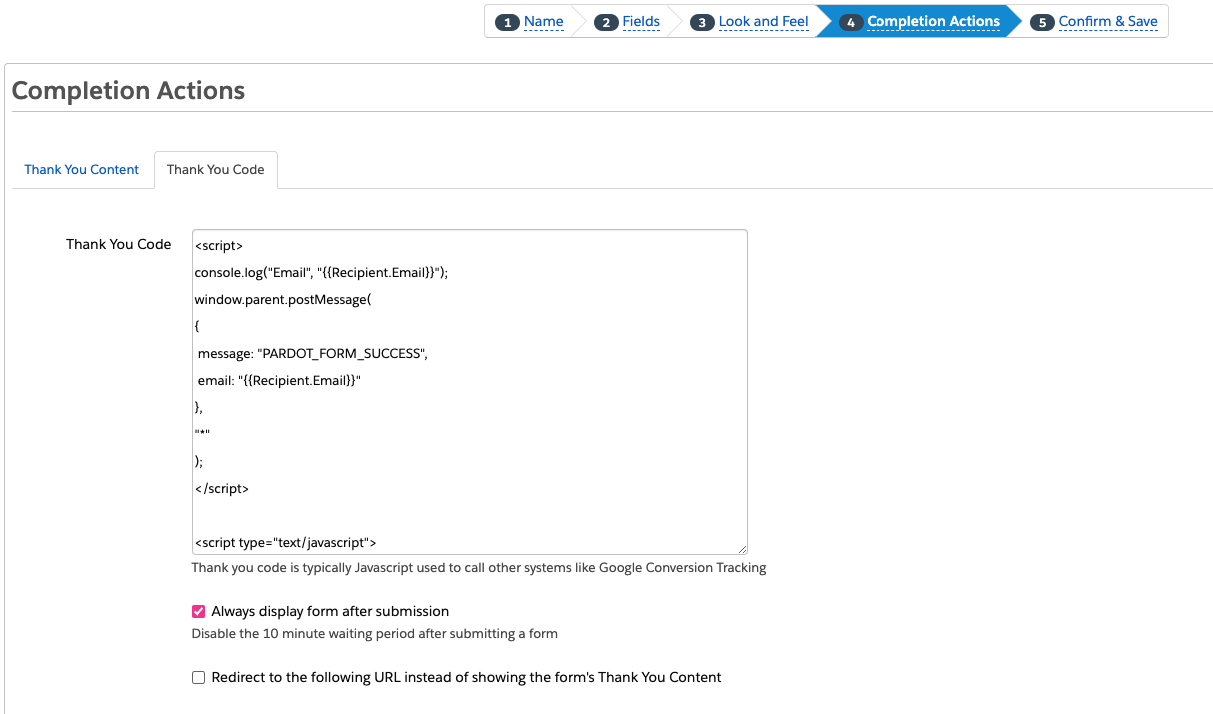
In Pardot, under the "Thank you Code" tab from the "Completion Actions" section, you'll need to add the following code:
You are now ready to test the Pardot form you embeded. Feel free to contact [email protected] if you have any questions or need help with embedding a custom Pardot form.
Was this helpful?