> For the complete documentation index, see [llms.txt](https://docs.storylane.io/llms.txt). Markdown versions of documentation pages are available by appending `.md` to page URLs; this page is available as [Markdown](https://docs.storylane.io/hubs-docs/creating-hubs/types-of-hubs.md).
# Types Of Hubs
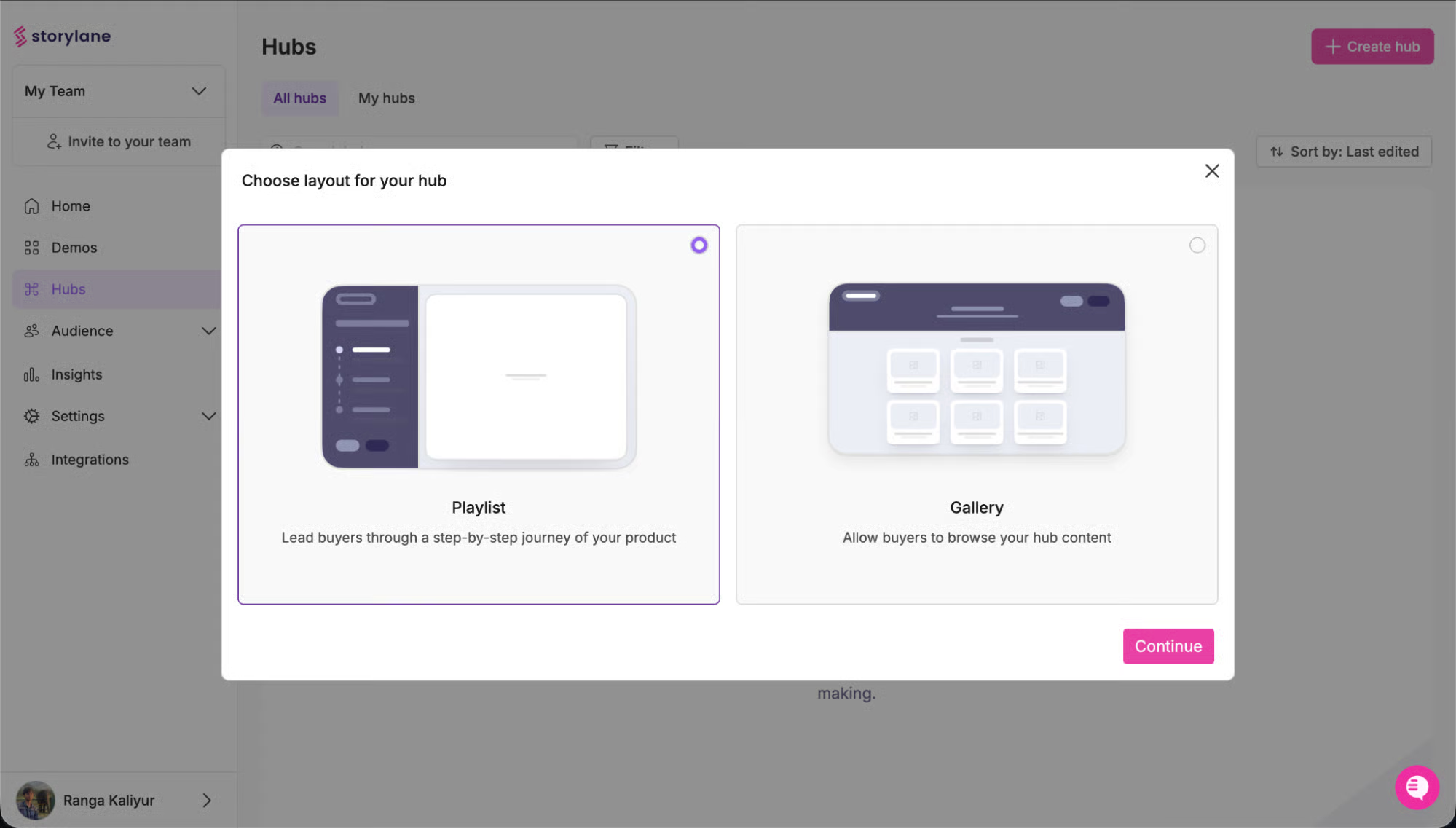
When creating a new Hub, start by selecting the type that best fits your use case. This determines how prospects will navigate and interact with your content.
{% tabs %}
{% tab title="Playlist" %}
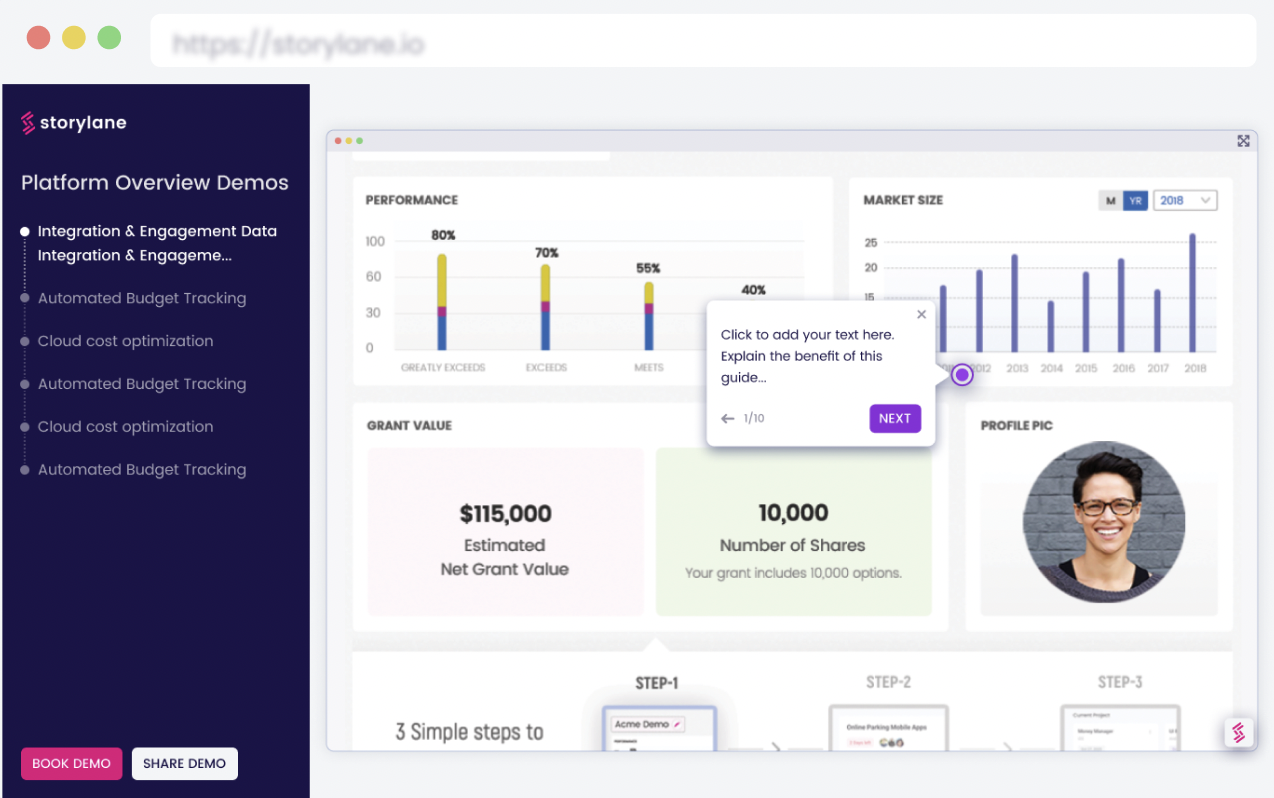
Sequential content presented in a specific order, guiding prospects through a curated journey.
**Best for:**
* Post-call follow-ups with materials discussed on your sales call
* Sales leave-behinds with a narrative arc (problem → solution → proof → next steps)
* Champion enablement where you control the story they share internally
* Multi-stakeholder deals requiring organized content by role or use case
**How it works:**
* Content appears in a left sidebar menu with a logical sequence
* Prospects progress through materials in the order you define
* Main viewing area displays selected content
* Works best with 5-10 pieces of content with clear progression
**When to use Playlist:**
* Sales teams sending post-discovery materials
* Deals requiring specific narrative flow
* Champion enablement scenarios
* Any situation where content order matters
{% endtab %}
{% tab title="Gallery" %}
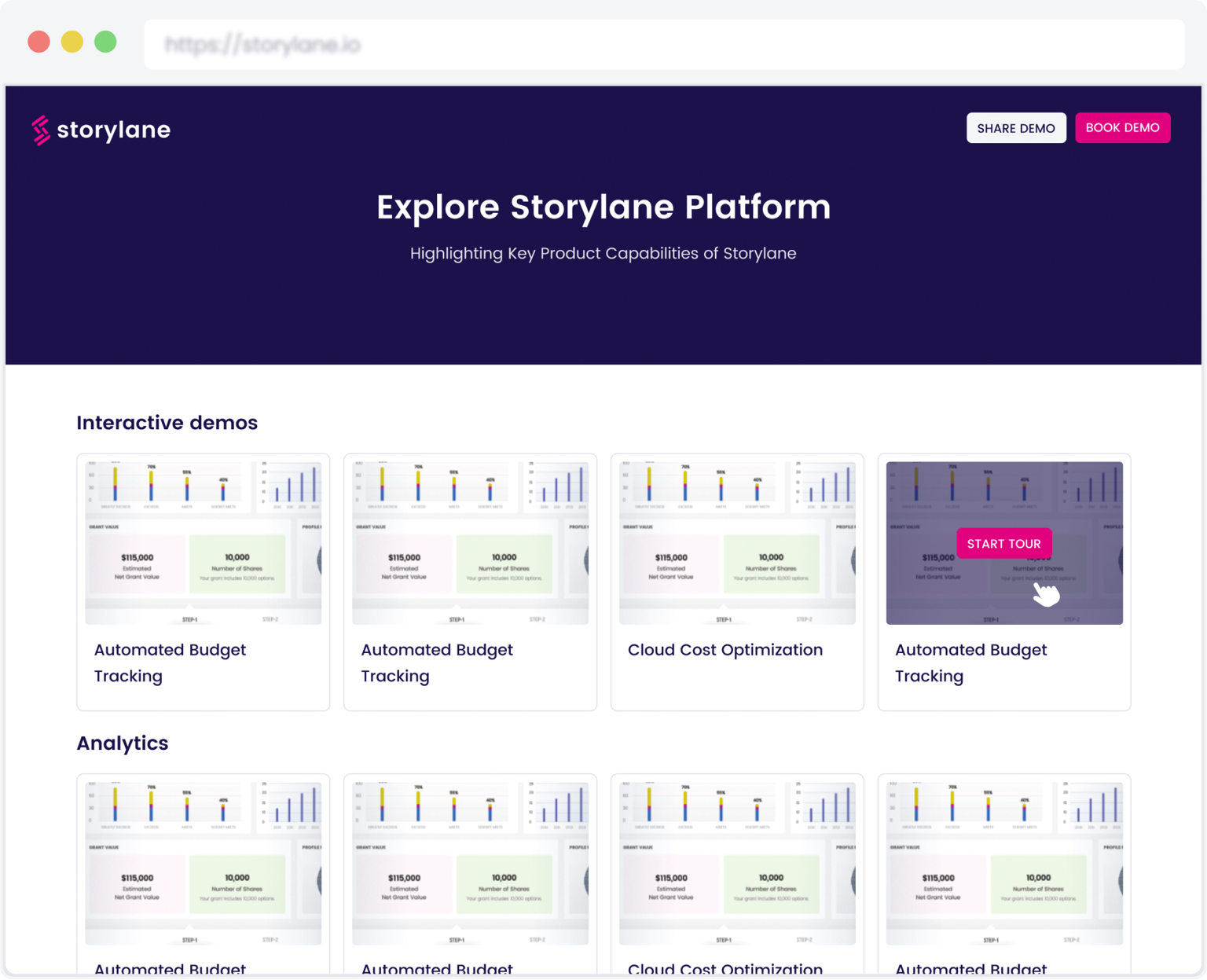
A thumbnail grid layout where prospects browse and choose their own exploration path.
**Best for:**
* Website embedding on product, solutions, or resource pages
* Self-service content discovery where prospects control their journey
* Marketing campaigns requiring broad accessibility
* Top-of-funnel content where visitors need flexibility to explore
**How it works:**
* All content displays as thumbnail cards in a grid
* Prospects click any card to view that content
* No prescribed order—prospects explore based on interest
* Best with 6-12 pieces of content organized into clear sections
**When to use Gallery:**
* Marketing teams embedding on websites
* Trade show follow-ups where prospects scan multiple resources
* Self-qualification scenarios where prospects choose relevant content
* Any situation requiring ungated, browse-friendly experiences
{% endtab %}
{% endtabs %}
{% hint style="info" %}
**Pro tip:** Most sales teams default to Playlist for controlled storytelling. Marketing teams typically choose Gallery for self-service exploration.
{% endhint %}
---
# Agent Instructions
This documentation is published with GitBook. GitBook is the documentation platform designed so that both humans and AI agents can read, navigate, and reason over technical content effectively. Learn more at gitbook.com.
## Querying This Documentation
If you need additional information that is not directly available in this page, you can query the documentation by asking a question.
Perform an HTTP GET request on the following URL with the `ask` and `goal` query parameters:
```
GET https://docs.storylane.io/hubs-docs/creating-hubs/types-of-hubs.md?ask=&goal=
```
`ask` is the immediate question: it should be specific, self-contained, and written in natural language.
`goal` is what the user is ultimately trying to achieve, the reason they need the answer. Sharing it helps GitBook give you a better, more relevant answer. A goal is most helpful when it describes the outcome the user wants rather than restating the question. For example, with `ask=how do I create an API token`, a goal like `automate deployments from our CI pipeline` lets GitBook tailor the answer to that use case.
The response will contain a direct answer to the question and relevant excerpts and sources from the documentation.
Use this mechanism when the answer is not explicitly present in the current page, you need clarification or additional context, or you want to retrieve related documentation sections.