# Pardot Form
Below you'll find the steps to embed a Pardot form:
1. Add a new step and choose the "Lead Form" guide.
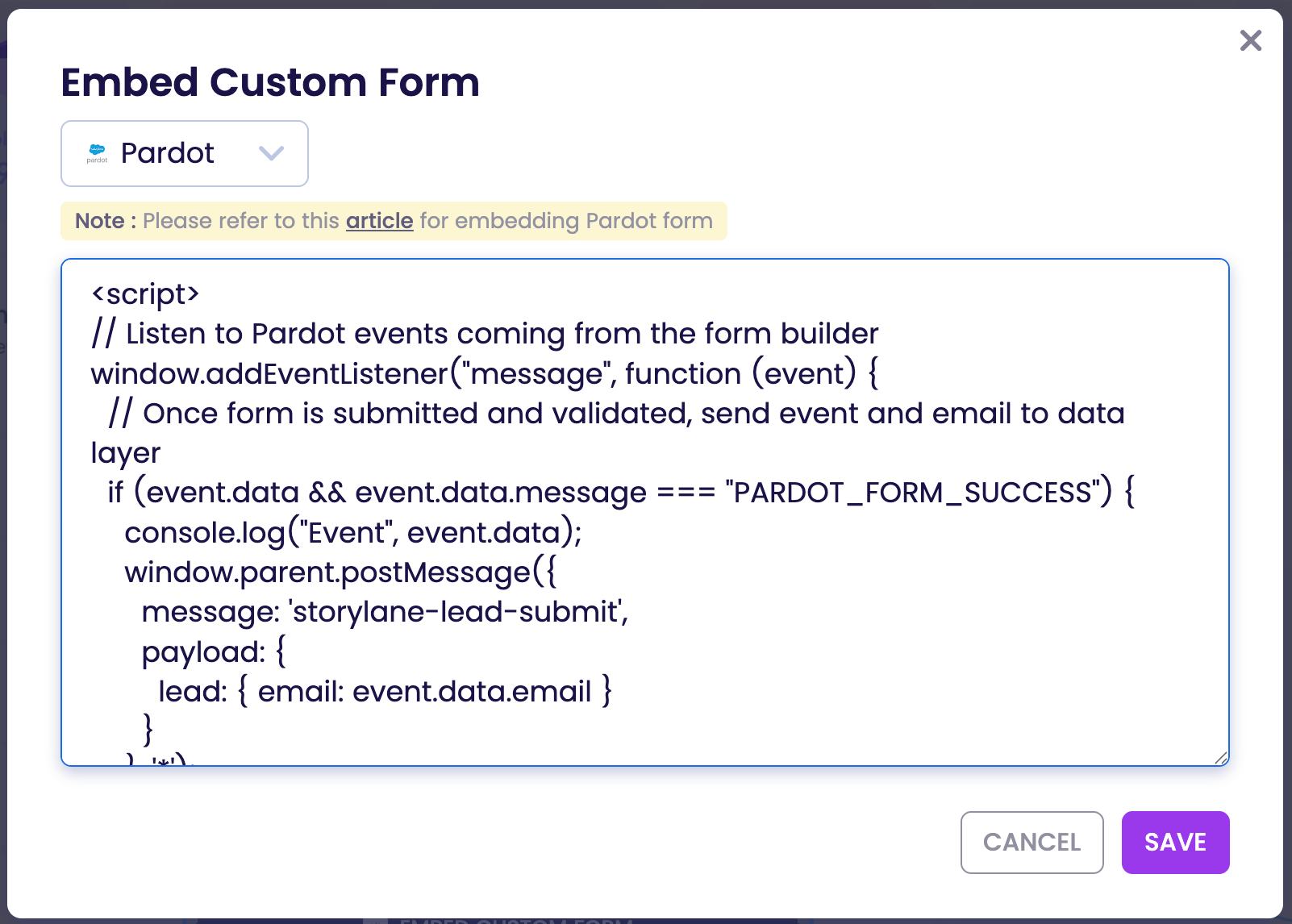
2. Click on the "Embed Custom Form" button underneath the Storylane Lead Form.
3. Choose "Pardot" from the dropdown and copy-paste the code from Pardot.
4. Above the code you pasted from Pardot, you'll need to add the following code:
```
```
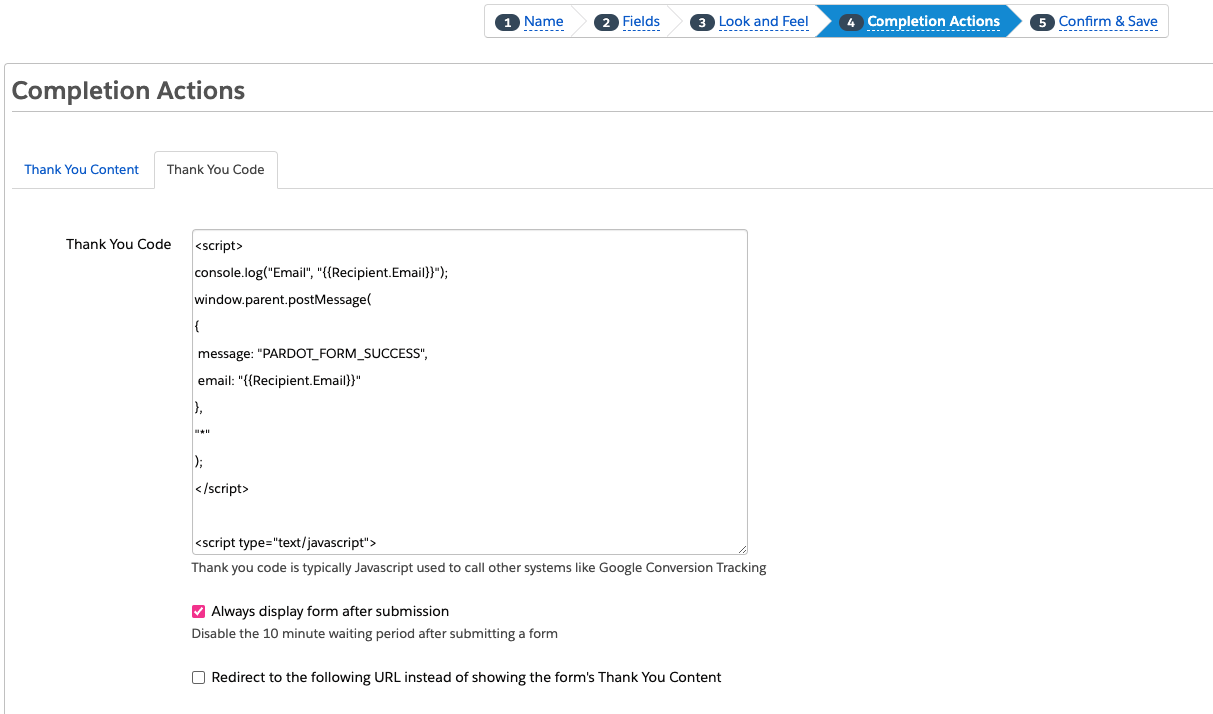
5. In Pardot, under the "Thank you Code" tab from the "Completion Actions" section, you'll need to add the following code:
```
```
You are now ready to test the Pardot form you embeded. Feel free to contact if you have any questions or need help with embedding a custom Pardot form.
---
# Agent Instructions: Querying This Documentation
If you need additional information that is not directly available in this page, you can query the documentation dynamically by asking a question.
Perform an HTTP GET request on the current page URL with the `ask` query parameter:
```
GET https://docs.storylane.io/integrations/integrations/pardot/pardot-form.md?ask=
```
The question should be specific, self-contained, and written in natural language.
The response will contain a direct answer to the question and relevant excerpts and sources from the documentation.
Use this mechanism when the answer is not explicitly present in the current page, you need clarification or additional context, or you want to retrieve related documentation sections.